Requirements & data
MT5 desktop plus an external, appropriately licensed options dataset supplied in the supported CSV format. Symbol names and timestamps must match the intended chart.
PERCEPTIONLEVEL / MT5
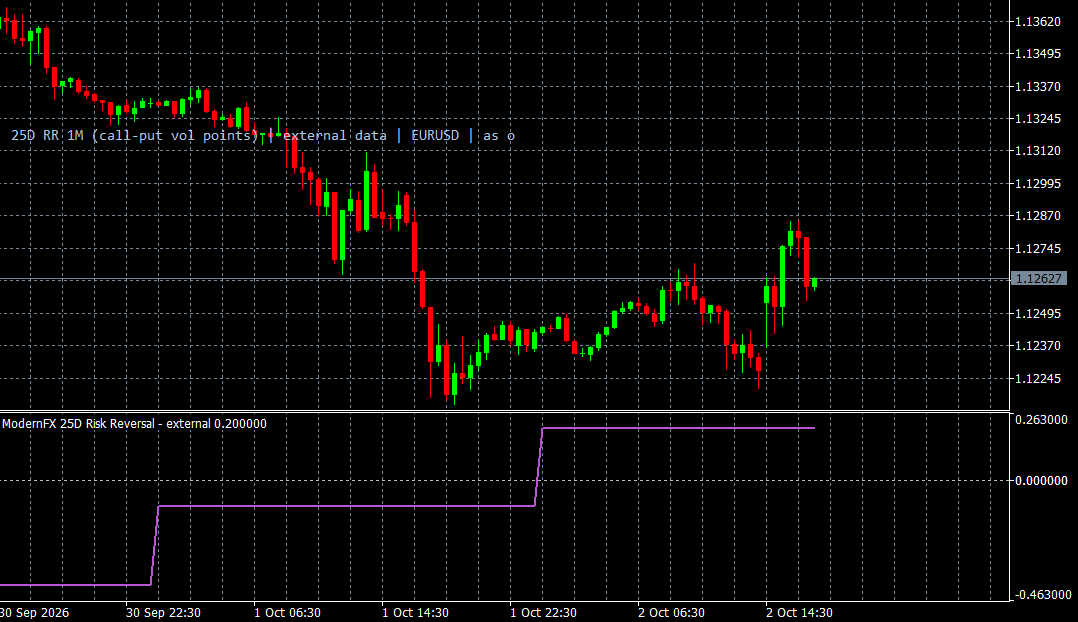
An MT5 display for reviewing externally supplied FX options skew observations.
FX Options Skew brings externally supplied options-market observations into an MT5 chart-analysis workflow. It supports CSV import, selection of the relevant symbol and options tenor, and directly supplied risk-reversal observations, so you can review the chosen dataset alongside your trading workspace.
Data freshness and availability status help you recognise when observations are missing or outdated. The indicator does not include an automatic options-data subscription: you supply and maintain an appropriately licensed dataset in the supported format. We can review symbol mapping, timestamps and the available display during setup or individual training.
WHAT IT OFFERS
MT5 desktop plus an external, appropriately licensed options dataset supplied in the supported CSV format. Symbol names and timestamps must match the intended chart.
Educational example, not a tested trading system. Use price confirmation and risk controls; the indicator alone is not an entry signal.
Trade planning and risk — CME Group ↗Add FX Options Skew to the relevant MT5 desktop chart, confirm that the required data is available, and review the display together with your price chart. Start with a demonstration or a demo environment to understand the available controls and data limitations. Individual training on installation and interpretation can be requested. This indicator supports analysis and does not place orders.
The indicator does not download an options feed automatically. A supplied snapshot is not a live service. Missing or stale data must be resolved with the data source; ordinary forex candles cannot replace options observations.
A CLOSER LOOK
Ask for a demonstration, confirm compatibility with your broker and discuss installation, licensing and individual software training.