Requirements & data
MetaTrader 5 desktop with chart history supplied by your broker. Data availability varies by instrument and provider.
PERCEPTIONLEVEL / MT5
An on-chart pattern display that highlights potential market events for closer manual review.
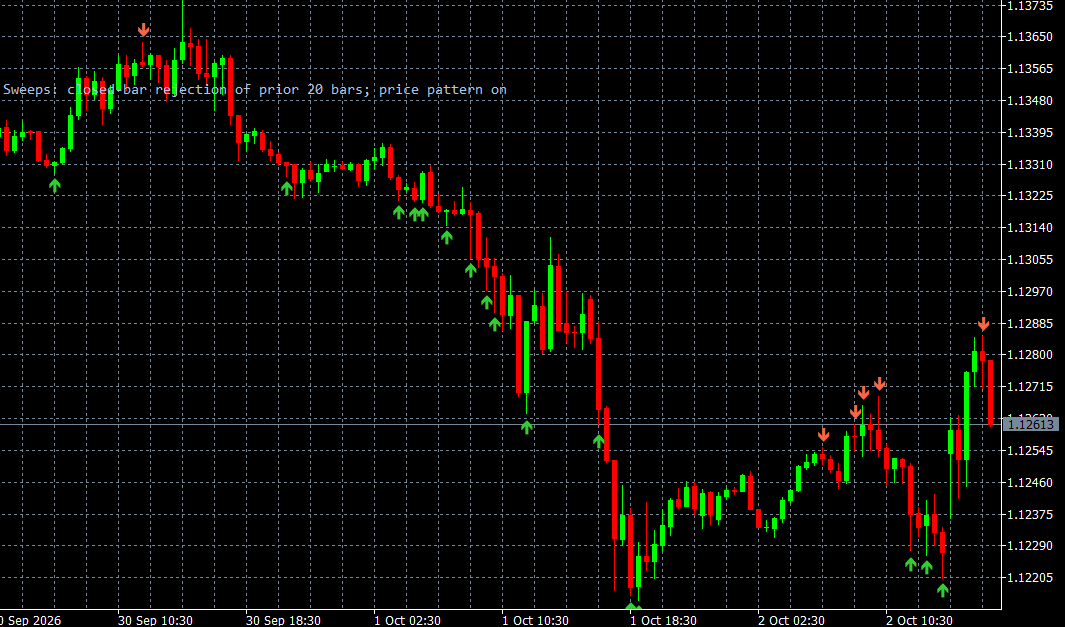
Liquidity Sweeps highlights detected price patterns with directional markers directly on the MT5 chart. Its purpose is to make potential events easier to locate and review manually, with configurable visual presentation to suit your chart workspace.
The markers are analytical annotations, not evidence of actual stop orders or institutional transactions. They should be reviewed with the surrounding price context and the data supplied by your broker. The indicator is standalone and does not place orders; a demonstration can show how the annotations are presented without revealing the proprietary detection rules.
WHAT IT OFFERS
MetaTrader 5 desktop with chart history supplied by your broker. Data availability varies by instrument and provider.
Educational example, not a tested trading system. Use price confirmation and risk controls; the indicator alone is not an entry signal.
Trade planning and risk — CME Group ↗Add Liquidity Sweeps to the relevant MT5 desktop chart, confirm that the required data is available, and review the display together with your price chart. Start with a demonstration or a demo environment to understand the available controls and data limitations. Individual training on installation and interpretation can be requested. This indicator supports analysis and does not place orders.
Markers represent detected price patterns. They do not prove the presence of stop orders or institutional transactions, and they are not instructions to enter a trade.
A CLOSER LOOK
Ask for a demonstration, confirm compatibility with your broker and discuss installation, licensing and individual software training.